The brand profile is what Geminel reads before it writes anything for you: captions, ideas, replies and video scripts. Keep it short and true, and what it writes sounds like you.
Open and edit the profile
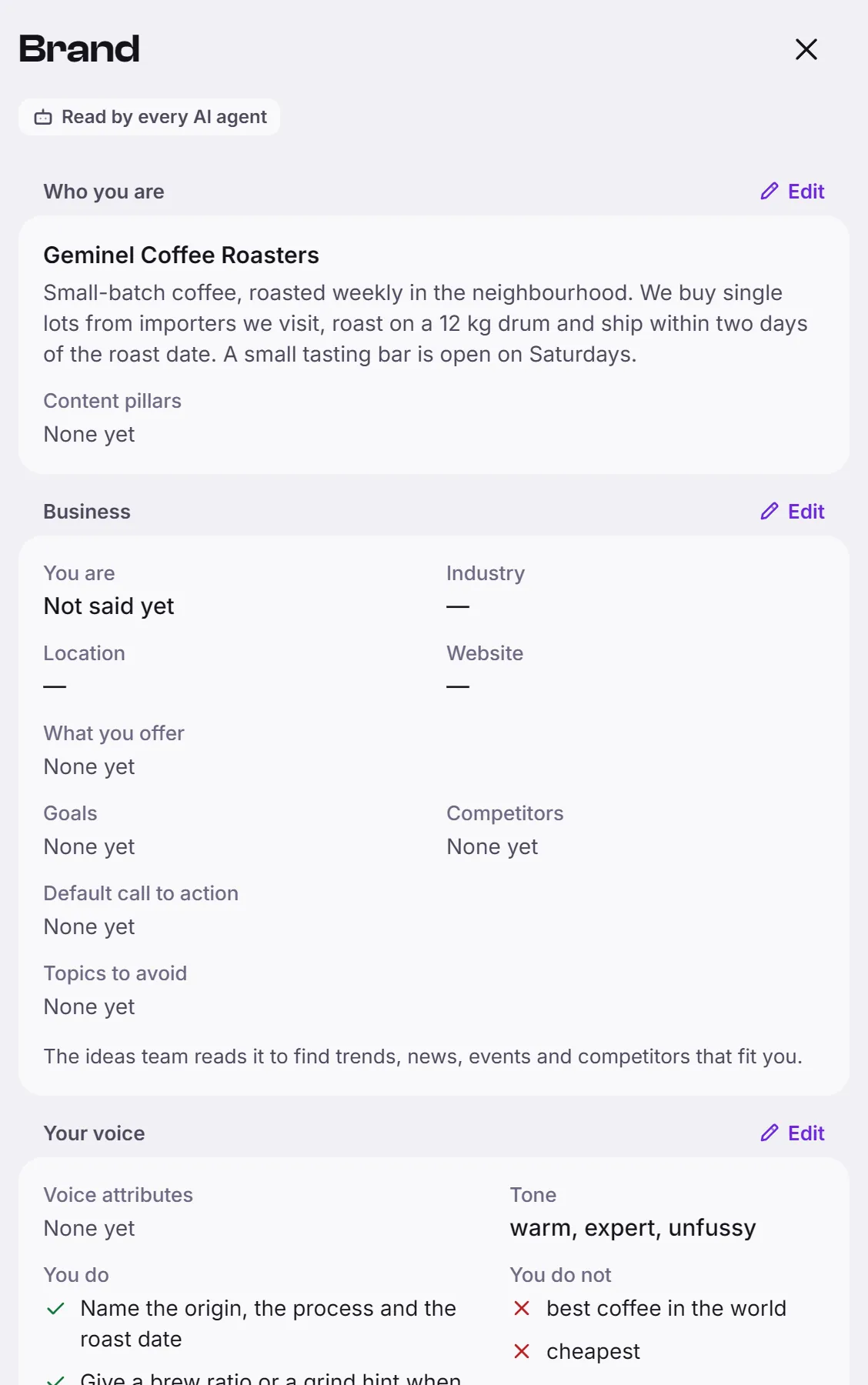
- Open the launcher, press Settings, then Brand. A label at the top says Read by every AI agent.
- Press Edit next to the part you want to change. Each part opens in its own sheet.
- Change the fields, then press Save.
The parts are:
- Who you are (Edit who you are): Brand name, Description and Content pillars, the topics your posts keep coming back to. The name cannot be left empty.
- Business: You are, Industry, Location, Website, Default call to action and Topics to avoid. The ideas team reads it to find trends, news, events and competitors that fit you. This part shows once it has content.
- Your voice (Edit your voice): Voice attributes, Tone of voice, and two lists, You do (encouraged in every draft) and You do not (words or claims that must never appear).
- Who you talk to (Edit who you talk to): an Audience in a sentence or two, and Audience segments, each with a name and one line. Press Add segment for another group.
- Defaults: Default hashtags, Link in bio and Emoji policy (No emoji, Sparingly or Playful).
On a phone, Who you talk to opens as its own screen.
Hear how it sounds
- On Brand, press How it sounds.
- Read the sample captions Geminel wrote from your profile. Press Sounds right under the ones that sound like you and Not like us under the others.
- Press Write new samples for a fresh set. They follow the profile as it is now and replace the old ones. If there are none yet, the button reads Write samples.
Writing samples uses credits. Where to see what things cost: Credits.
Good to know
- If Geminel drafted the profile for you, you see Drafted by Geminel. Read it and correct what is wrong.
- Geminel reads the profile each time it writes, so a saved change shows in what it writes next.
- Changing the profile is for the people who approve posts. If your role can only read it, Brand says so at the top; ask a workspace owner.
- Your logo, colours and fonts are not here. They are in your brand kit.
- Geminel also learns from your documents and pages: What Geminel knows about your business.
- If a part of this screen is missing for you, ask us with Help and feedback.