The Inbox gathers the comments on your posts and the direct messages your connected accounts receive. You read each one, ask Geminel for a draft reply and send it, or write your own.
Read and reply
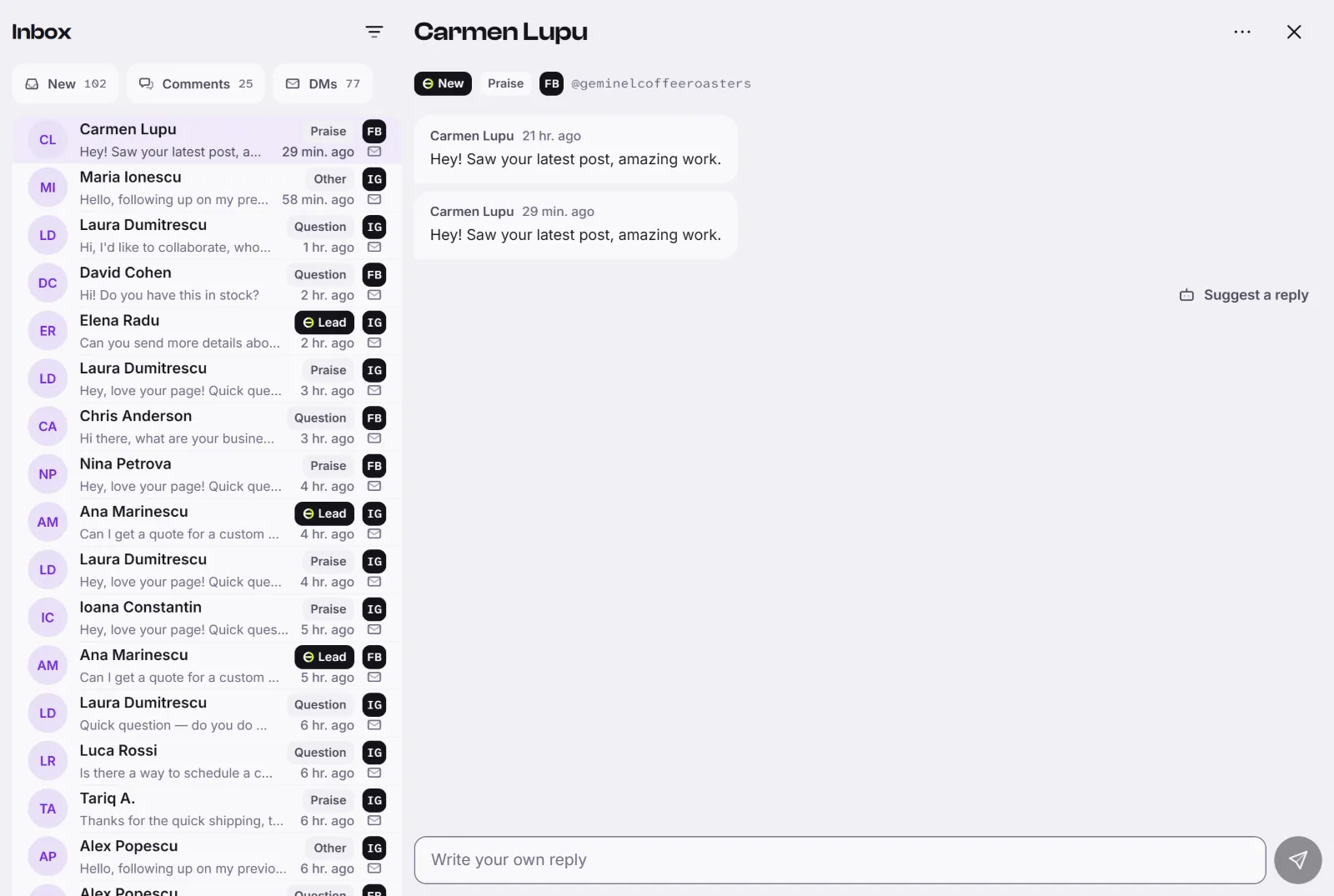
- Press Inbox in the dock. The list shows the newest first, with the person's name, the start of the message, the network and the kind: comment or direct message.
- Press a conversation to open it. Opening a new one marks it as read.
- Press Suggest a reply. Geminel writes a draft, which appears in the thread under Geminel suggests. This can take a little while.
- Read the draft, then press Send. To change it first, press Edit, correct the text and send it. Press Write another for a different draft.
- Or skip the draft and type in Write your own reply. Enter sends; Shift+Enter starts a new line.
Your reply shows Sending…, then Sent. If it fails you see Not sent and the reason.
Where a draft comes from
When a draft is based on your knowledge base, the sources are listed under it. Press one to open Sources and read the passages it used. If it says Not from your knowledge, Geminel wrote this on its own, check it with extra care. Geminel can also fail to write a draft; press Try again.
Find a conversation
- The chips at the top show what nobody has opened yet: New, Comments and DMs, each with a count. Press one again to clear it.
- For more, press the filter button and use Filter the inbox: Kind, Status, Account and Intent. Show applies them and Clear filters removes them.
- Each conversation can carry an intent word such as Question, Praise, Complaint or Lead.
Set a conversation aside
Open the menu in the conversation's header and choose Mark read, Ignore, Escalate or Mark new. The state shows on the conversation and in the Status filter.
Good to know
- Complaints and leads always wait for a person: Geminel does not send them on its own.
- When replies that Geminel drafted by rule are waiting for you, the top of the list shows a row that opens them. See Automatic replies and welcome messages.
- You can reply only if your access to direct messages or comments allows it. Otherwise you can read, and the page says so. See Who can see sensitive data.
- If you don't see the Inbox, or an account's messages are missing, ask us with Help and feedback.
- To choose how much Geminel does without asking, see Autonomy: where Geminel stops for you.